If you think setting up a social media presence is just signing up on a few platforms and slapping your logo on a profile picture, think again.
Your social media accounts are your brand’s digital shopfront. They’re where your potential customers first check you out, and let’s be honest, first impressions count.
But don’t stress. Setting up your social media pages doesn’t have to feel like herding cats. Whether you’re diving into social media marketing for the first time or upgrading your online game, here’s how to create a social media presence that actually works.
Why Social Media Account Setup Matters
You wouldn’t hand out a business card with scribbled details (although we've seen it happen 😦), so why would you let your social media accounts look unpolished?
Proper setup of your social media channels creates a professional image, builds trust, and gives your audience a reason to stick around.
Think of your social media pages as the foundation of your marketing strategy. They can be optimised to have a solid setup, and stop you just posting into the void — and nobody wants that.
Step 1: Choose the Right Social Media Platforms
The first rule of social media marketing? Be where your audience is. Not every platform is worth your time, so pick the social media networks that align with your business and target audience.
- Facebook: Great for social media pages aimed at building community and sharing updates.
- Instagram: Ideal for high-quality visuals and connecting with a creative audience.
- LinkedIn: Perfect for professional networking and showcasing your business account.
- TikTok: For businesses with a playful side looking to capture attention with short, snappy content.
- Twitter: Great for quick updates and engaging in real-time conversations.
Don’t stretch yourself thin across too many platforms. Focus on two or three social media channels that make the most sense for your goals.
Step 2: Craft Killer Social Media Profiles
A polished profile is key to making your social media presence stand out. Here’s how to nail it:
- Handle the handle: Choose a consistent username across all social media networks. This keeps your brand easy to find and remember.
- Pick the perfect profile picture: Whether it’s your logo or something else that represents your brand, make sure it’s high quality and fits the platform’s specs. Make sure to keep this the same across every platform, and in line with your website's appearance too.
- Optimise your bio: Use relevant keywords to explain who you are and what you do. Keep it clear, concise, and engaging. Use this space wisely!
- Add contact info: Include your business email address, phone number, and physical location (if applicable) to make it easy for potential customers to reach you.
Step 3: Claim a Custom URL
Claiming a vanity URL (custom link) on your social media pages is a simple way to look professional and boost your credibility. For example, “facebook.com/YourBusinessName” looks far better than a random string of numbers.
Step 4: Set Up Your Social Media Pages
Each social media site has its quirks, but the basics of creating effective business accounts remain the same:
- Facebook Business Page: Add a cover photo, business description, and call-to-action button to encourage interactions. You can use your Facebook page like a mini website, showcasing when you're open and by making the most of albums.
- Instagram Business Account: Use highlights and stories to showcase your brand while optimising your bio for search.
- LinkedIn Company Page: Include a banner image, detailed description, and links to your website. Encourage your team to update their profile to say that they work there too.
- TikTok Business Profile: Create content that reflects your brand’s personality while staying relevant to your audience.
- Twitter Profile: Optimise your bio and pin an engaging tweet that introduces your business to visitors.
Step 5: Develop a Content Plan
Your social media presence doesn’t end with setting up accounts. We know that it can be a commitment, but to keep your business account thriving, you’ll need to post regularly and strategically.
- Create a mix: Balance promotional content with engaging and informative posts. Refer to our Old McDonald video if this is an area you struggle with.
- Leverage visuals: Images, videos, and infographics make your social media posts more clickable.
- Stay consistent: Use a posting schedule to ensure you’re active across your social media channels without overwhelming your audience.
Step 6: Monitor and Optimise
Once your social media accounts are up and running, it’s time to keep an eye on performance:
- Use analytics tools to track metrics like engagement and reach.
- Adjust your strategy based on what works — whether that’s posting more often, trying new formats, or focusing on different platforms.
- Test and refine as you go. Social media marketing is all about evolving with your audience.
Why Choose Youbee Media for Social Media Setup?
Because you’ve got better things to do than figuring out profile dimensions or picking the right hashtags.
Here’s how we can help:
- Full setup: From your Facebook page to your Instagram account, we’ll handle everything.
- Optimisation pros: We ensure your social media sites are polished, professional, and primed to perform.
- Content strategies: We don’t just set up accounts—we help you keep them alive with tailored social media posts.
With Youbee Media, you’ll have a social media presence that turns heads and drives results.
Final Thoughts
Social media account management and setup is more than ticking boxes. It’s about creating a strong foundation for your brand’s success.
Whether you’re setting up your first business account or looking to improve your social media presence, the right setup and a few optimisations can make all the difference.
Ready to level up? Let Youbee Media do the heavy lifting as a marketing consultancy while you focus on running your business. Drop us a message, and let’s get your social media accounts looking their best or join one of our marketing workshops for more expertise and advice.
FAQs About Social Media Account Setup
1. Why is choosing the right social media platforms so important?
Not all social media platforms are created equal. The best platforms for your business depend on your audience and goals.
For example, Facebook is great for building a business page and connecting with a wide audience, while Instagram excels in showcasing visuals like a company logo or profile image.
By focusing on the right channels, you can maximise your social media marketing efforts without spreading yourself too thin.
2. Can I use a personal account for business purposes?
Technically, yes, but it’s not ideal. Personal profiles lack the tools that a business page or account offers, like analytics, ad targeting, and enhanced features to increase brand awareness. Plus, it can look a bit amateur. Future you won't be happy if you need to scrap everything and start again...
If you’re serious about social media marketing, set up dedicated social accounts for your business to maintain professionalism and make a stronger impression.
3. How important is a profile picture or company logo on social media accounts?
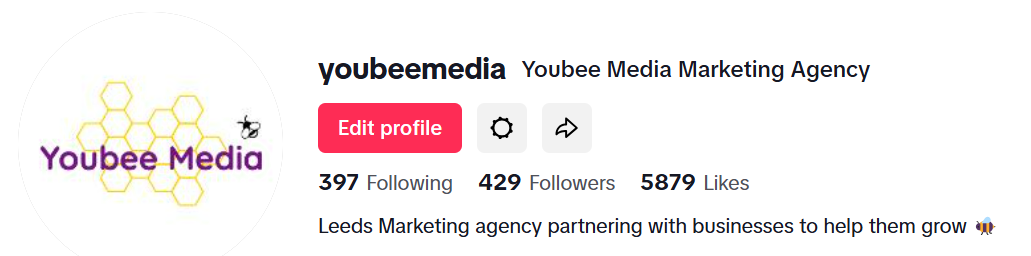
Your profile picture is often the first thing people notice about your social accounts. A high-quality image, such as your company logo, is essential for building brand recognition and trust.
Keep it consistent across platforms to ensure your business looks professional and cohesive. This will also help search engines associate your profiles with your brand.
4. Do I need a social media manager to handle my accounts?
A social media manager can save you loads of time, especially if you’re active on many social media platforms or you feel it's not your strong suit.
They handle everything from creating content to optimising your social accounts and ensuring your social media marketing aligns with your business goals.
If you’re a busy business owner juggling too many tasks, having a manager can be a game-changer. It's another thing off your list!
5. How does a strong social media presence help build brand awareness?
A well-managed social media presence helps you connect with potential customers, share engaging content, and make your business discoverable on search engines.
Consistency across your business page, profile images, and messaging strengthens your brand identity. Whether you post updates, run campaigns, or respond to messages, an active presence ensures you’re always on your audience’s radar.