Effectively managing your Facebook presence is a crucial part of any business's marketing strategy. With millions of users interacting daily, Facebook is a powerful platform for reaching potential customers, engaging with followers, and building brand awareness. In fact, as of December 2023, there were approximately 56.2 million Facebook users in the UK, accounting for 81.5% of the population. This is why it's a platform that cannot be ignored.
However, to make the most of this opportunity, businesses need the right tools to manage their activity efficiently and effectively. This guide will explore the best Facebook management tools and how they can support your social media strategy, save time, and help you connect with your audience.

Our Favourite Social Media Management tools for Facebook:
| Facebook Management Tool | Key Features | Best For | Pricing |
|---|---|---|---|
| Meta Business Suite | Free all-in-one platform for Facebook and Instagram management, content scheduling, ad campaign management, and analytics. | Small businesses looking for free, integrated tools. | Free |
| Hootsuite | Content scheduling, custom dashboards, integration with Ads Manager, and multi-account management. | Businesses needing advanced publishing tools and analytics. | Starts at £39/month |
| Sprout Social | Unified inbox, detailed analytics, team collaboration features, and content scheduling. | Larger businesses and agencies seeking deep insights and collaboration. | Starts at £199/month |
| Buffer | User-friendly scheduling, analytics, and content calendar. | Startups and small businesses seeking simplicity. | Free for basic plan, Pro from £5/month |
| Agorapulse | Central inbox for comments and messages, CRM features, advanced reporting. | Businesses focusing on customer engagement and relationship-building. | Starts at £49/month |
| Sendible | Bulk scheduling, social listening, and client reporting. | Agencies managing multiple clients and pages. | Starts at £25/month |
| Zoho Social | Content calendar, social listening, custom reports, and integration with Zoho CRM. | Businesses looking for integrated CRM and social media management. | Starts at £8/month |
Why Use Facebook Management Tools?
Facebook management tools can simplify handling your Facebook marketing strategy, including content creation, ad campaigns, and customer engagement. With easy to use tools and simple navigation, here's why using these tools is essential:
- Save Time: Automate routine tasks like scheduling posts, monitoring unread messages, and managing comments.
- Enhanced Engagement: Keep track of customer conversations and respond quickly using tools like Messenger integrations.
- Data-Driven Insights: Use analytics and insights to understand which posts perform best and how to improve your ad campaigns.
- Multi-Platform Integration: Many tools allow you to manage Facebook and other social media channels like Instagram and LinkedIn, making it easier to maintain a consistent brand presence.
Top Facebook Management Tools for 2024
1. Meta Business Suite

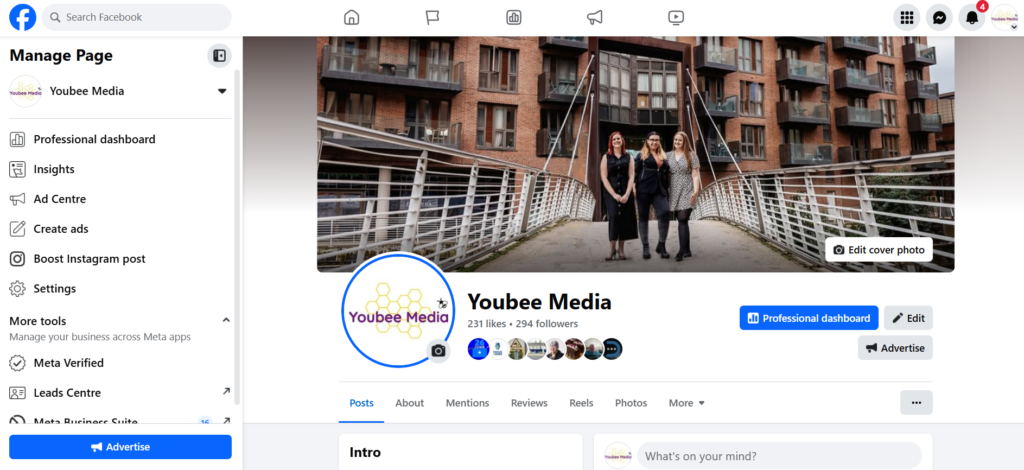
Meta Business Suite is a free, all-in-one platform for managing Facebook and Instagram accounts. It allows you to schedule posts, manage comments, and access detailed insights for both Facebook pages and ad campaigns. This is our favourite Facebook tool as a marketing consultancy, and it's especially useful for businesses that want a centralised way to handle their Meta properties. The Facebook algorithm also loves it as much as we do - which is another bonus!
- Features:
- Schedule posts and stories across Facebook and Instagram - with the option to tailor each post to the nuances of that platform.
- Track engagement and page insights.
- Manage Facebook Ad Campaigns and monitor their performance.
- Unified inbox for handling messages and comments.
- Why Use It: Meta Business Suite is perfect for small businesses looking to streamline their Facebook activity without additional costs. As Meta Business Suite isn't a third party app, content that you create and share this way suits the Facebook and Instagram algorithm and may support the reach of your content with a larger audience.
2. Hootsuite
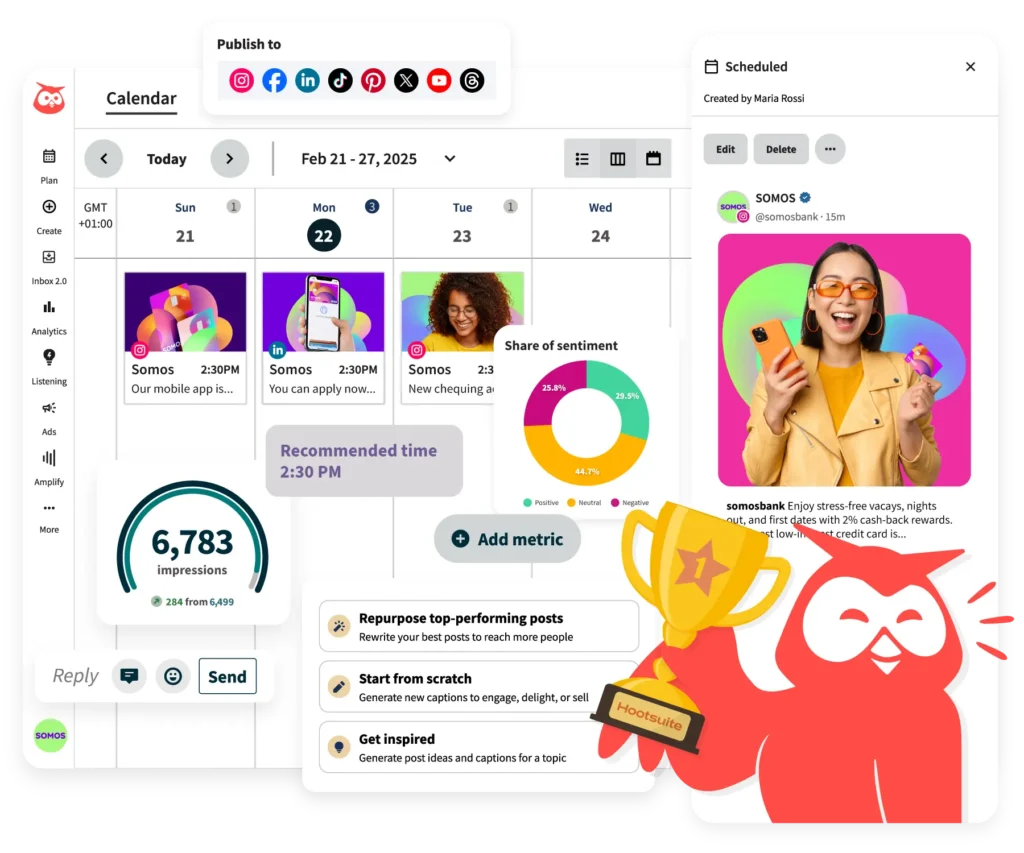
Hootsuite is one of the most popular social media management platforms, offering a suite of tools for managing Facebook, Instagram, and other social channels. With Hootsuite, you can easily schedule posts, track engagement, and measure performance across several platforms.
- Features:
- Content calendar for planning and scheduling posts, providing a great visual for seeing what's coming up.
- Customisable dashboards to monitor conversations and data.
- Integration with Ads Manager for managing ad campaigns.
- Analytics to track follower growth and reach.
- Why Use It: Hootsuite is ideal for businesses that need access to the best Facebook tools to manage multiple accounts.You can add your other channels to this platform too, and access additional features like social media listening tools. You can read a bit more about this feature in our recent blog.
3. Sprout Social
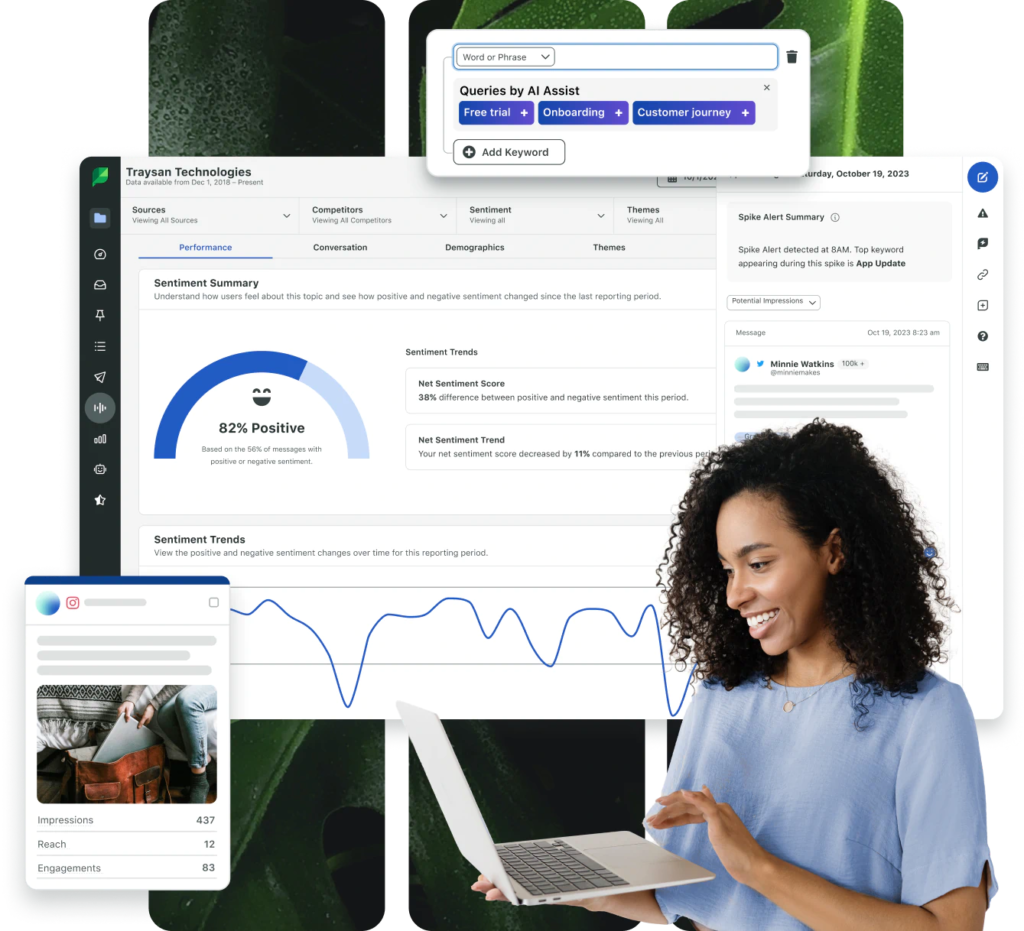
Sprout Social is known for its user-friendly interface and powerful analytics features. It offers tools to schedule posts, engage with followers, and analyse performance across Facebook and other social media platforms.
- Features:
- Centralised inbox for managing messages and comments.
- Analytics for tracking engagement and post performance.
- Team collaboration tools for managing large accounts.
- Advanced features for creating and managing ad campaigns.
- Why Use It: Sprout Social is suitable for larger businesses or agencies that need comprehensive data and insights to refine their Facebook marketing strategy.
4. Buffer
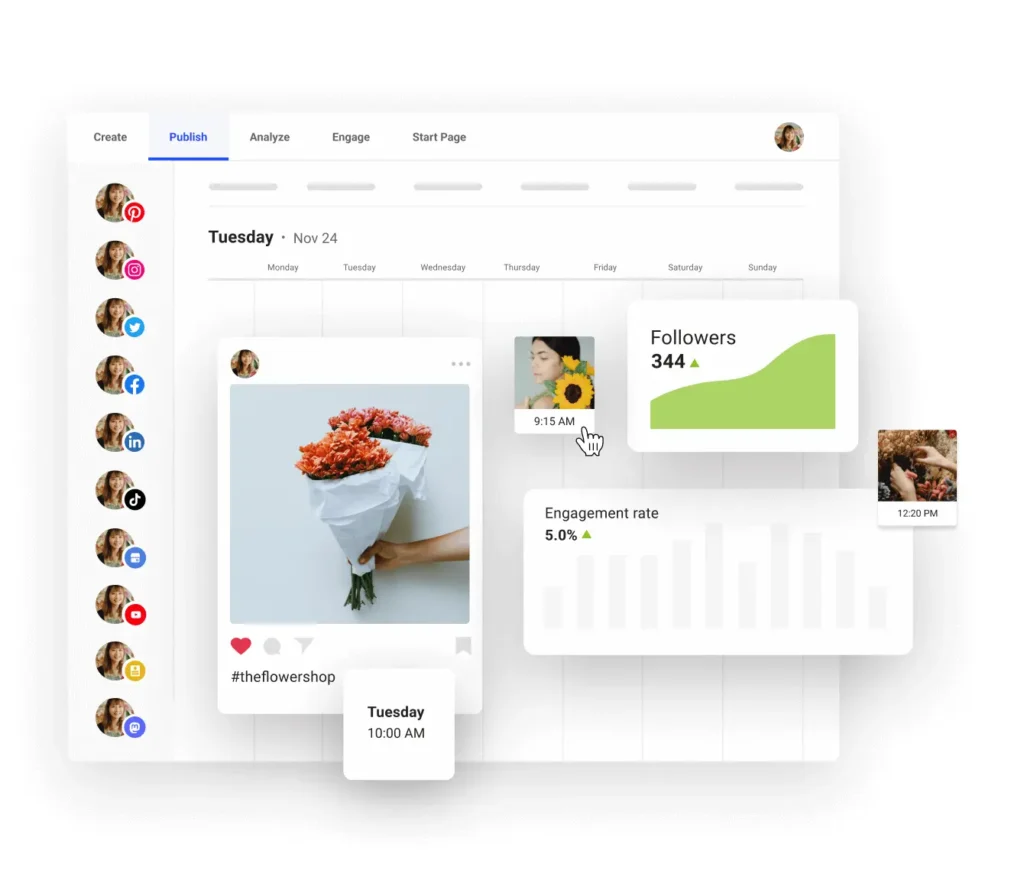
Buffer is a straightforward tool for scheduling Facebook posts and analysing their performance. It’s great for businesses that need a simple solution for planning content across multiple platforms.
- Features:
- Easy-to-use content calendar.
- Schedule posts for optimal times.
- Simple analytics for tracking engagement.
- Integration with other social media platforms.
- Why Use It: Buffer is ideal for small businesses or startups that want an affordable solution for managing their Facebook page.
5. Agorapulse

Agorapulse offers a range of features that simplify Facebook management, from social listening to post scheduling. It also includes a CRM-like tool that allows businesses to build better relationships with their followers. For those looking for additional benefits for managing their social media, this could be a great tool for you.
- Features:
- Unified inbox for handling comments, messages, and reviews.
- Schedule and queue posts for multiple Facebook pages.
- Detailed analytics and reporting.
- CRM integration for tracking customer interactions.
- Why Use It: Agorapulse is great for businesses looking for a more interactive way to manage their Facebook presence.
6. Sendible

Sendible is a powerful tool for agencies that manage multiple Facebook pages and need to streamline their workflow. It offers content scheduling, social listening, and detailed reporting features.
- Features:
- Bulk scheduling for content.
- Social listening to monitor brand mentions.
- Analytics and reporting for client presentations.
- Customisable user access for team management.
- Why Use It: Sendible is ideal for agencies that need to manage multiple clients and provide detailed reports.
7. Zoho Social
Zoho Social is a versatile platform for managing Facebook and other social media channels. It’s known for its easy integration with other Zoho products, making it a good option for businesses already using Zoho’s suite of tools.
- Features:
- Content calendar for scheduling posts.
- Social listening to track brand mentions.
- Custom reports for analysing social media performance.
- Integration with Zoho CRM for managing customer data.
- Why Use It: Zoho Social is perfect for businesses looking for an integrated solution to manage their Facebook marketing and customer relationship management.
Essential Features of Facebook Management Tools
When choosing the best Facebook management tool for your business, it's worth considering these key features before you to commit:
- Content Scheduling: Helps you plan and publish posts at the best times for engagement. Having a strategic social media plan will help, and with these tools you can draft, schedule and see previously posted content.
- Analytics and Reporting: Offers insights into your content’s performance, helping you adjust your strategy. It's always valuable to track your metrics.
- Customer Interaction: A centralised inbox to manage comments, messages, and reviews is crucial for maintaining strong customer relationships.
- Ad Campaign Management: Tools that integrate with Ads Manager make tracking your ad campaigns' success easier.
- Collaboration: If you work with a team, look for tools that allow multiple users to manage content and monitor engagement.
FAQs: Facebook Management Tools
1. What are Meta Business Tools, and how do they help manage Facebook?
Meta Business Tools include resources like Meta Business Suite and Ads Manager that help businesses manage their Facebook presence. These tools support scheduling posts, tracking ad campaigns, analysing engagement, and managing customer interactions across social media platforms.
2. Which Facebook tools are best for businesses?
Top Facebook tools for businesses include Meta Business Suite for integrated management, Hootsuite for advanced scheduling, and Buffer for simple content planning. These tools save time and help companies to maintain a consistent Facebook presence.
3. How can I use Facebook tools to improve my business activity?
Facebook tools like Meta Business Suite streamline posting, messaging, and ad management tasks. Features such as insights and analytics help businesses understand customer engagement and optimise their Facebook marketing strategy to reach more people effectively. Scheduling your content with a tool like Meta Business Suite allows you to batch create content, get ahead for upcoming events or days you want to post - and then easily see what's coming up in an easy to read content calendar.
4. What is the role of a QR code in Facebook marketing?
A QR code can direct users to your Facebook page, making it easy for customers to find and follow your business. This feature is great for including marketing materials and driving offline audiences to engage with your Facebook presence.
5. How can I effectively use my Facebook page's 'Send Message' feature?
The 'Send Message' button allows businesses to communicate directly with potential customers, providing quick responses to inquiries. It’s especially effective for customer service, offering real-time engagement that can convert interested users into customers. If there are any social media features that you want extra support with, Youbee Media offer 1-2-1 training or Marketing workshops to help.
6. What makes posting great content crucial for Facebook's success?
Great content is key to engaging your audience and building a solid brand image. Images, videos, and interactive posts help catch users' attention, encourage sharing, and foster community engagement. All social media platforms want users to contribute high quality, engaging content that retains the audience for longer. Therefore apps like Facebook and Instagram will reward you for making great content. Planning content with a tool like a content calendar can ensure consistency.
7. How do Facebook Groups benefit businesses?
Facebook Groups create a space for businesses to build communities around their brand. They're great for local SEO and creating awareness with businesses and communities around your brand. Groups can share updates, run exclusive offers and events, or gather customer feedback. They effectively foster engagement and create a sense of belonging among followers.
8. What features should I look for in a Facebook management tool?
Look for features like content scheduling, insights for analytics, a unified inbox for messaging, ad campaign management, and tools for monitoring engagement. But ultimately, you'll want to adopt the platform that you find is the most intuitive, or saves you the most time. We invest in these tools because of what they can do for us, so there isn't a 'one size fits all' solution. The features they offer help streamline your Facebook strategy and provide actionable insights to refine your social media marketing plan.